
The tablet will not turn on
Plug the tablet into the mains for several hours, then try switching it on again.
To switch it on, press and hold the power button for 3 seconds.
The following message appears: "Please allow the use of Bluetooth"
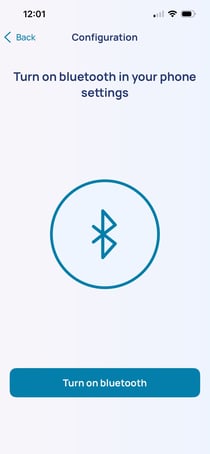
Enable Bluetooth:
1. Select "Turn on bluetooth" to enable Bluetooth automatically
2. Then select "Allow".

You can check that Bluetooth is switched on by swiping your finger from the top to the bottom of the screen. Make sure the ‘Location’ icon is switched on.

The error message appears: "No internet connection."
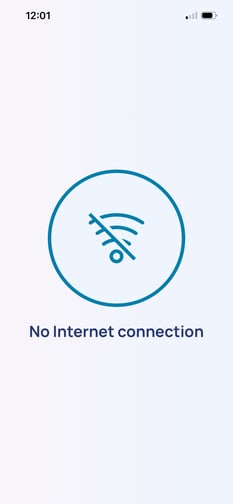
1. Switch off the phone/tablet by holding down the power button for 3 seconds.
2. A pop-up window will appear: select ‘Switch off’.
3. Wait until the device has switched off completely.
4. Switch it back on by holding down the power button for 3 seconds.
5. Repeat the measurement.
If the message is still displayed, contact Newcard customer service.
The following message appears: "Turn on your location in settings"
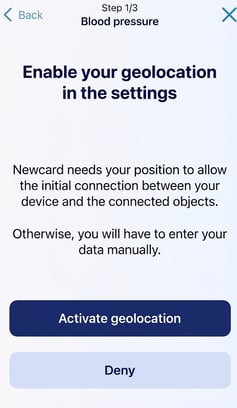
1. Select “Activate geolocation”
2. Allow the app to access your location in the settings.
You can check that location services are enabled by swiping your finger from the top to the bottom of the screen.

The following message appears: "Error loading data. Please try again"

Start by selecting “Charge”.
If the problem persists:
1. Switch off the phone or tablet by holding down the power button for 3 seconds.
2. When the window appears, select “Power off”.
3. Wait until the device has switched off completely.
4. Switch it back on by holding down the power button for 3 seconds.
If the problem persists after restarting, contact Newcard support.
The tablet goes into "Reboot" or "Safe" mode.
Press and hold the power button for 8 seconds, until the tablet / phone restarts.